
We open the browser, type in the Akeonet webmail address, and the page remains blank. Or worse, the password is rejected without explanation. This scenario often occurs for Akeo Télécom subscribers, especially after a browser update or a device change. Behind this blockage, the cause is rarely technical: it is almost always an issue with the URL, cache, or a misunderstood authentication process. This guide details the real friction points and solutions to regain a reliable connection to Akeonet email.
Akeonet Portal and Akeo Client Area: Two Access Points Not to Confuse
A common first trap lies in the vocabulary. We talk about the “Akeonet portal,” but access is made from the official Akeo Télécom site, via the “My Account” or “Client Area” buttons. There is no separate portal with a distinct URL to manage your subscription and email simultaneously.
The webmail, on the other hand, is accessible at auth-webmail.akeonet.com. This is the authentication page dedicated to emails. Confusing the two leads to login attempts with the wrong credentials: those from the client area do not work on the webmail, and vice versa.
To access the secure Akeonet portal, we first need to clearly identify what we need: to check our emails (webmail) or to manage our subscription (client area). This distinction avoids most of the connection errors reported on forums.
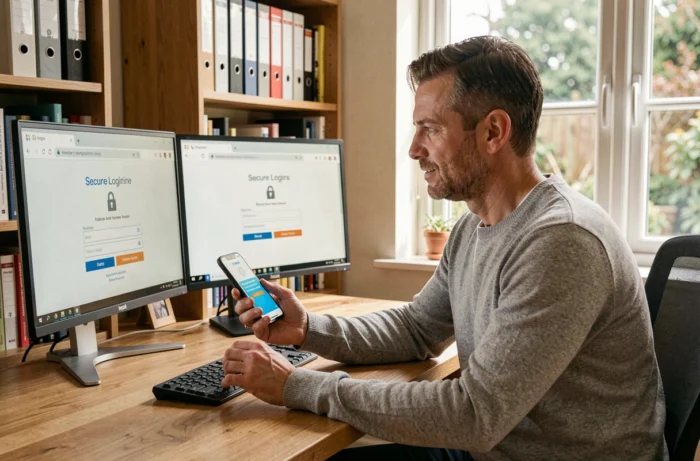
Blocked Akeonet Connection: The Real Causes and Their Fixes
When the authentication page rejects a password, the usual reflex is to retype it several times. This is a mistake. After several failed attempts, the system may temporarily lock access. It is better to go directly through the recovery procedure.
Forgotten or Rejected Password on Webmail
The “Forgot Password” link is available directly on the auth-webmail.akeonet.com page. The process sends a reset link or a temporary password to the backup email address associated with the account. If no backup address has been configured, you must go through Akeonet selfcare (selfcare.akeonet.com) to resolve the situation.
One point to check before any procedure: the caps lock. On mobile, the first letter is often automatically capitalized by the keyboard, which is enough to invalidate the password.
Blank Page or Certificate Error
If the webmail page does not display at all, we check three things in this order:
- The cache and cookies of the browser related to the domain akeonet.com, to be manually cleared in the settings (not just a simple page refresh).
- The browser version: an outdated browser may reject the SSL certificate of the webmail and display a security error without details.
- Possible interference from a VPN or corporate proxy, which redirects DNS requests and prevents the resolution of the domain akeonet.com.
Feedback varies on this point, but using private browsing often helps confirm that the problem comes from the cache rather than the server.
Enhanced Akeonet Authentication: What Two-Step Verification Changes Daily
Contrary to what most existing guides describe, two-factor authentication (2FA) is not just a recommendation on Akeonet. It is presented as an effective login step. Specifically, after entering the username and password, you receive a code via SMS or through an authentication app like Google Authenticator or Authy.
This code has a short validity period. If the mobile network takes time to deliver the SMS, the code may expire before you have a chance to enter it. In this case, request a new code instead of retyping the old one.
For users who log in daily from the same device, 2FA may seem cumbersome. Some browsers offer the option to “trust this device” to reduce the frequency of checks, but this option depends on the server-side configuration of Akeo, not just the browser.
SMTP and IMAP Configuration for an External Mail Client
You don’t have to go through the webmail. Akeonet email also works with clients like Thunderbird, Outlook, or Apple’s Mail app. The configuration relies on the following server settings:
- IMAP Incoming Server: the IMAP protocol synchronizes messages between the server and the client, allowing you to access your emails on multiple devices.
- SMTP Outgoing Server: it manages the sending of messages. SMTP authentication must be enabled with the same credentials as the webmail.
- SSL/TLS Encryption: both servers (IMAP and SMTP) must be configured for encrypted connection. Without this, some mail clients will refuse the connection or display a security warning.
A common oversight during configuration: the SMTP port differs depending on whether encryption is SSL or STARTTLS. Using the wrong port causes sending to loop without a clear error message. You can check the exact settings in Akeonet selfcare, section “Manage My Addresses.”
Secure Your Akeonet Email Account Long-Term
Beyond 2FA, a few settings prolong the reliability of the connection. The password must be unique, meaning not reused across other services. A password manager helps avoid memorizing it while ensuring its complexity.
The recovery address also deserves regular verification. If this secondary address is no longer active (former provider, full inbox), the reset procedure becomes impossible without contacting Akeo support.
Finally, logging out of active sessions from webmail after each use on a shared device remains the simplest and most overlooked measure. The logout button is accessible from the user menu at the top right of the interface.
Connecting to Akeonet does not pose any major technical difficulties once the correct entry point is identified and the authentication settings are in place. Most blockages come from confusion between the client area and webmail, or from an outdated browser cache. Addressing these two points covers the vast majority of cases.